
Student Guide: Mobile Interface Troubleshooting for extra selection
Step I:Determine the Cause of the Processing Failure

Start by logging into the eForm system to figure out what kept you from signing up for your course. These reasons could have included things like course overload, scheduling issues, or repeated courses.
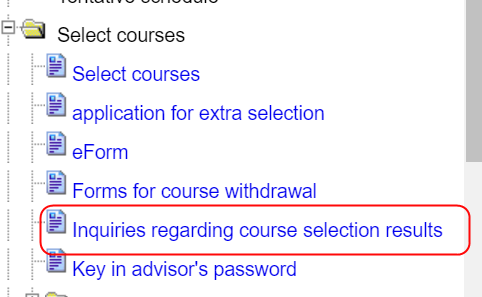
Academic Information System→Select courses→eForm

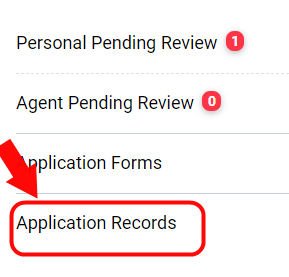

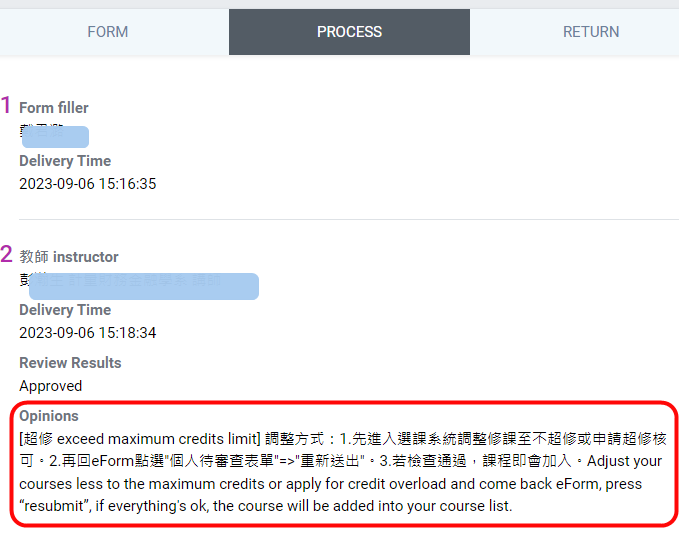
Step II:Reprocess
Then take these actions:
1. Make the appropriate course modifications.
2.Go back to the eForm platform for that particular course. Click "Resubmit" and "Completion check".
3. The course will be added after review, if it passes.
Remember that after the deadline, any approvals will expire.
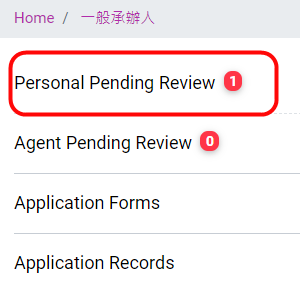
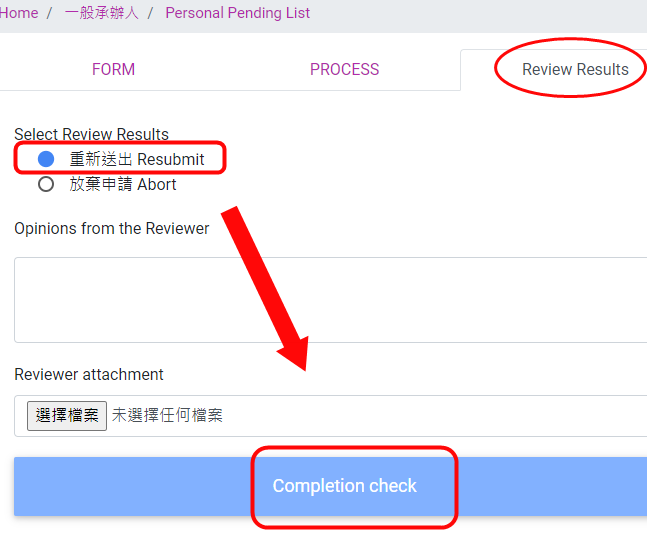
Step III:To validate your course enrollment after successfully enrolling, please visit your Personal Course Enrollment Status.
Please check "Inquires regarding course selection results" to make sure you've successfully registered for the course after completing the aforementioned procedures. "Extra Selection" will be noted next to the course.
complication regarding eForm:time:4:02 https://www.youtube.com/watch?v=V4nE3oPzTr0