
Extra Selection Guide: How to Enroll in Courses You Were Unable to Secure
Students who are unable to enroll in their desired courses during the first three course selection rounds—either due to the automated random selection results or specific course restrictions—may continue to add or drop courses manually during the official Add-or-Drop period after the semester begins.
Additionally, students can utilize the Extra Selection System during the first two weeks of the semester to submit enrollment requests for instructor approval and secure additional course vacancies.
Please refer to the NTHU Academic Calendar each semester for official extra selection deadlines.
Video Guide: Extra Selection Process
Application Dates for Fall 2026
- Student Application Period: September 3, 12:00 PM – September 19, 9:00 AM
- Instructor Approval Period: September 3, 12:00 PM – September 21, 9:00 AM
Important Notes (Please Read Carefully Before Applying)
- Prerequisite Checks: If a course requires prerequisites, the system will verify your eligibility automatically. Applications that do not meet these requirements will be rejected.
- No Extra Selection: Courses explicitly marked as "No Extra Selection" do not accept requests through this system. Enrollment for these courses is only available via standard course selection periods if vacancies open up.
- Credit Overload Warning: If your total credits exceed the limits, the system will issue a warning. Please complete the credit overload approval process in advance; otherwise, your enrollment will remain blocked even after receiving instructor approval.
Online Application Steps
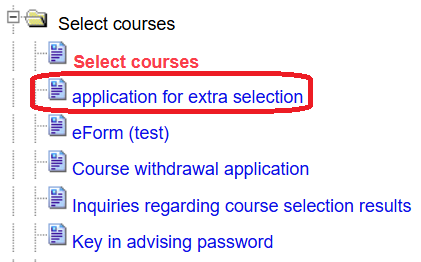
- Log in to the Academic Information System → Select courses → application for extra selection.
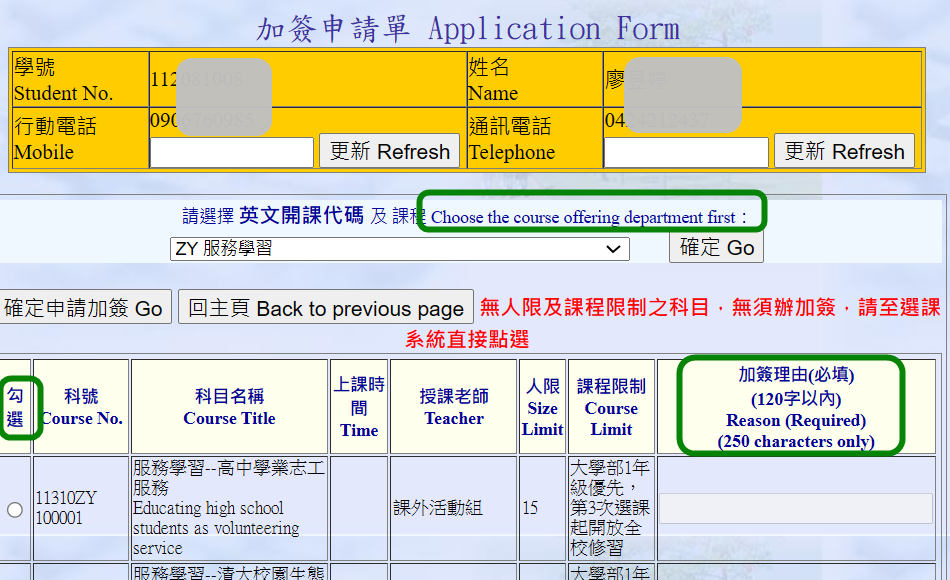
- Enter your reason for the request (maximum 250 characters) and submit. Your application will be automatically routed to the eForm system for review.
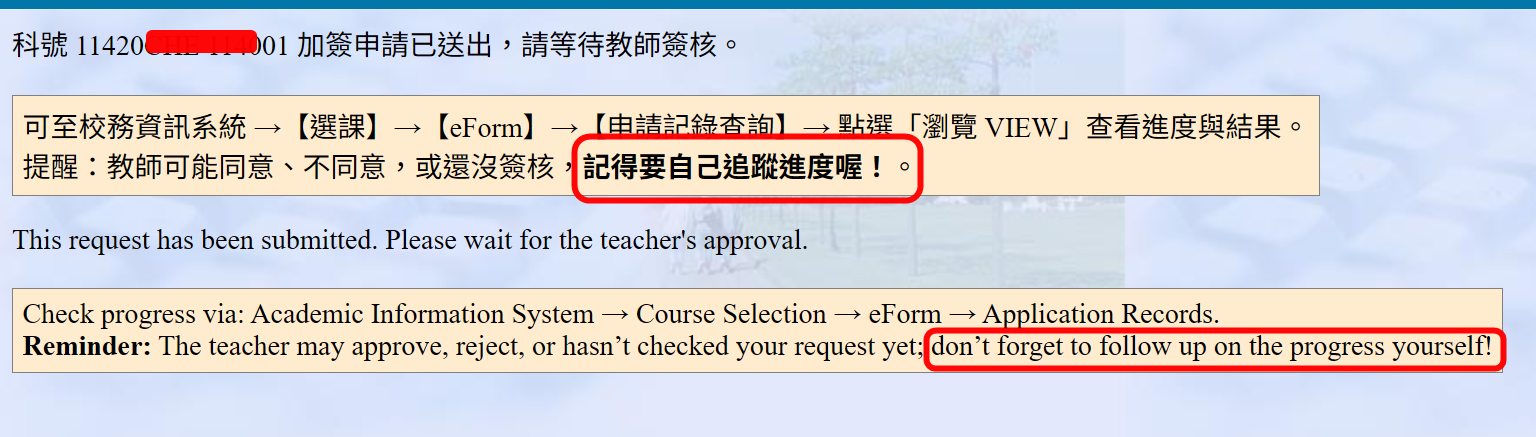
- Wait for the instructor to review and approve your request online via the eForm system.
How to Track Your Application Status & Results
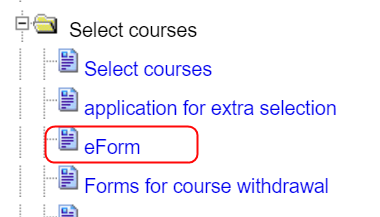
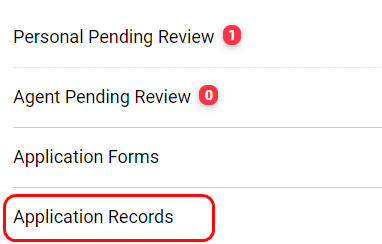
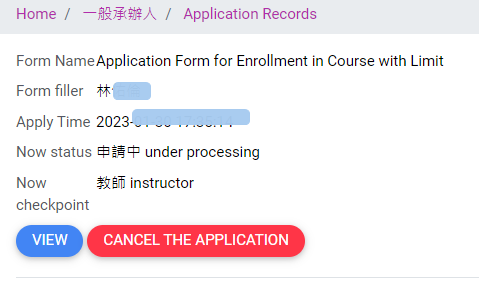
Log in to the Academic Information System → Course Selection → eForm → Application Record Inquiry, then click "VIEW" to check the real-time status of your request.
- Approved: The course will be automatically added to your official course list, and a confirmation email will be sent to you.
- Not Approved / Enrollment Blocked: (e.g., due to credit overload or schedule conflict): A notification email detailing the issue will be sent. Please follow the instructions provided in the email immediately.
What to Do If Enrollment Is Blocked After Instructor Approval?
If the instructor has approved your request, but the course is still not successfully added to your schedule (you will receive a notification email), please make sure to follow these steps to resolve the issue before the Add/Drop deadline:
1. Check the cause of the blockage: Go to eForm → Application Records to check the reason why the process is blocked. (Common reasons: Over-enrollment, Time Conflict, or Duplicate Registration).
2. Return to the Academic Information System to resolve the issue:
-
If due to "Credit Overload ": Adjust your class schedule to fit within the maximum credit limit, or submit and obtain approval for an Credit Overload Request.
-
If due to "Approval delayed due to pending random draw":
-
Lottery has NOT been executed: Drop the course in the Academic System, then return to eForm → "My Pending Actions " and click "Confirm that the issue has been resolved"..
-
Lottery executed but NOT selected: Go to eForm → "My Pending Actions" and click "Confirm that the issue has been resolved".
-
Lottery executed and SUCCESSFULLY selected: Go to eForm → "My Pending Actions" and click "Withdraw Application ".
-
-
If due to "Time Conflict ": Drop one of the conflicting courses. →Go to eForm → "My Pending Actions" and click "Confirm that the issue has been resolved".
-
If due to "Duplicate Registration ": Drop the duplicate course with the same title.→Go to eForm → "My Pending Actions" and click "Confirm that the issue has been resolved".
3. Crucial Step: Once the issue is resolved and you have returned to eForm, click "Confirm that the issue has been resolved". The system will then finalize your course addition. Please refer to the system screenshot below for visual guidance:


Withdrawing an Extra Selection Request
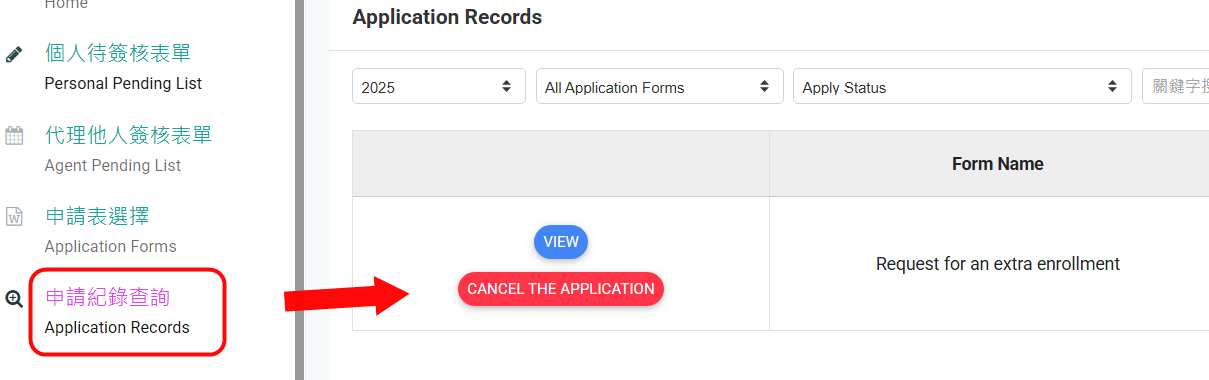
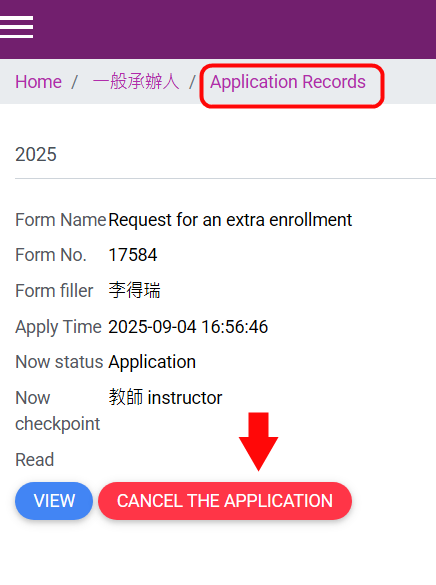
Before Instructor Approval: Go to eForm, state your reason, and cancel the application directly within the system.
After Instructor Approval (Course Already Enrolled): Log in to the standard Course Selection System and drop the course manually.
Course List & Learning Platform Synchronization
1. Official Course List Verification
Once successfully processed, the course will be added to your schedule. You can verify your enrollment status at any time via:
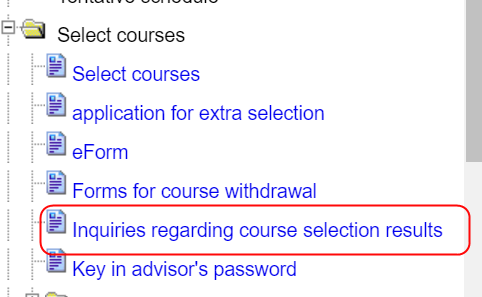
Academic Information System → Course Selection → Inquiries Regarding Course Selection Results → Select phase: "Add-or-Drop Selection".
2. eLearn / eeClass Platform Synchronization Timelines
During the extra selection period, student enrollment data synchronizes with eLearn and eeClass twice daily at 8:00 AM and 7:00 PM. Please access the platforms after these updates to view your course access.
Final Reminders
- Instructor review takes time. Students are strongly encouraged to submit their requests as early as possible to avoid missing deadlines.
- Submission of an extra selection request does not guarantee enrollment; final approval is subject to instructor discretion and actual classroom capacity.
- All procedures must be completed online. Please monitor your eForm portal and university email regularly for status notifications.