
University Course List Excel 【One-Click Download】
The downloaded data contains only a few fields in English, such as the course name and the name of the instructor.

1One-Click Excel Download
Click the button below, and the system will automatically fetch the latest NTHU open course data, clean the fields, convert it to Excel, and download it:
2Open with Excel
Once downloaded, click the downloaded file to browse the course data directly via Excel.
What if the one-click download fails? View manual steps
University Course List Excel 【Manual Download Guide】
1Download Raw Course File
Please click the button below to get the raw course data first:
Download Raw Course File💡 Please note after clicking the button:
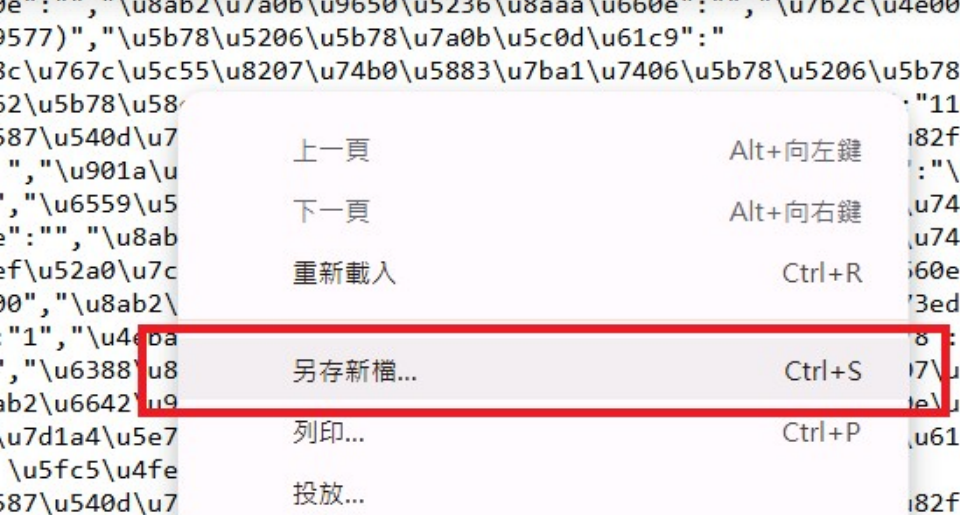
If a screen full of dense text code appears, that is the correct data. Please "Right-Click" → "Save As..." directly on that webpage to save it.
2Convert to Excel Format
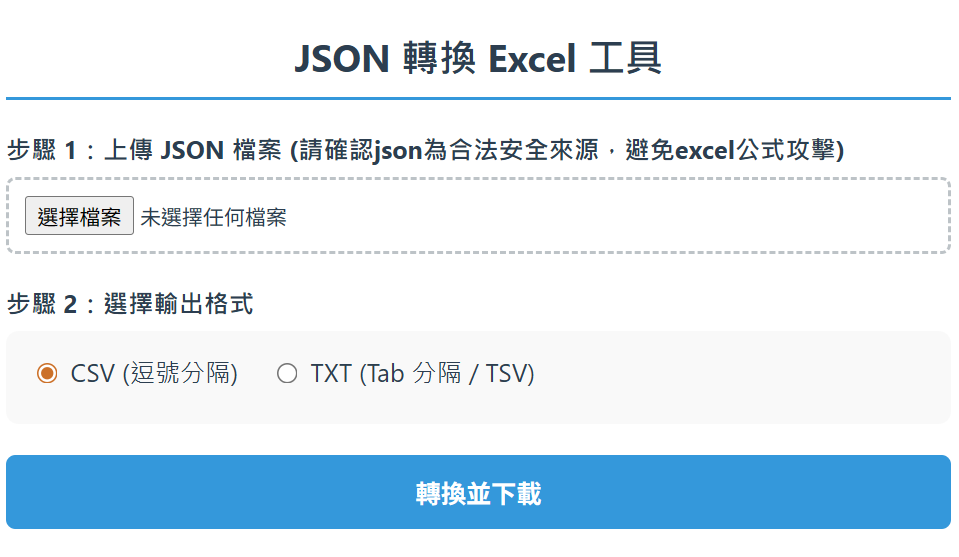
Please open the conversion tool, and follow the illustration to click "Choose File" and "Convert and Download":
3Open with Excel
Once downloaded, "Double-Click" the file to browse the course details directly via Excel.